🎉 Up to 70% Off Selected ItemsShop Sale

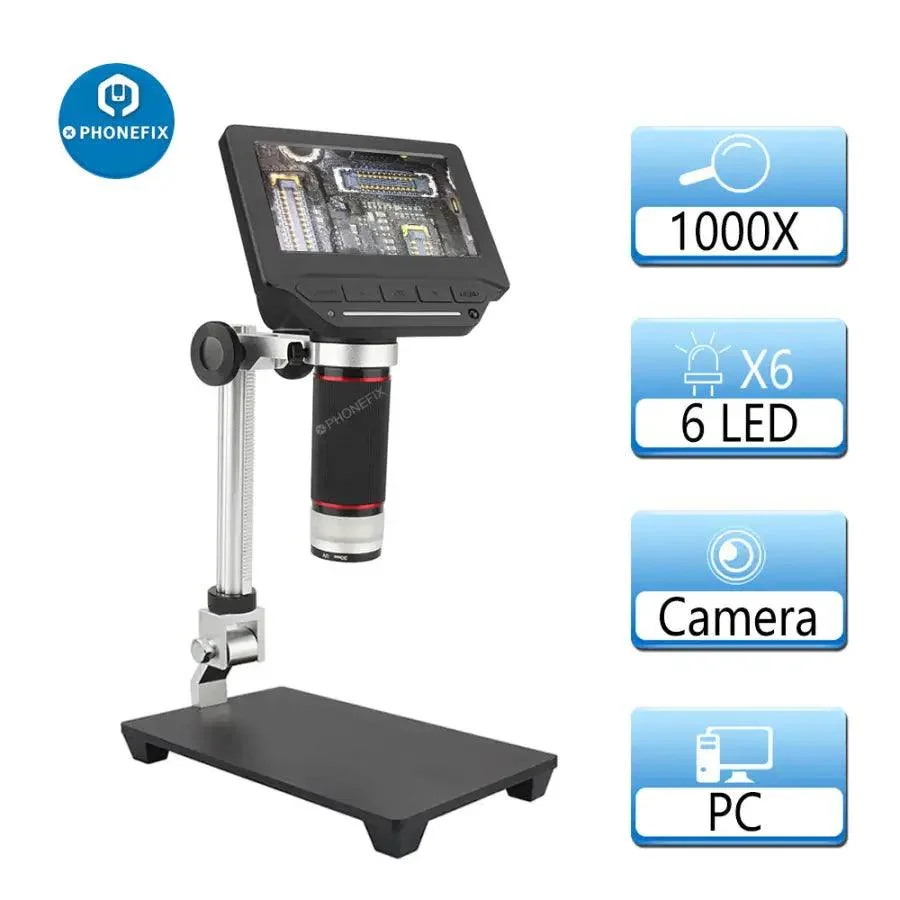
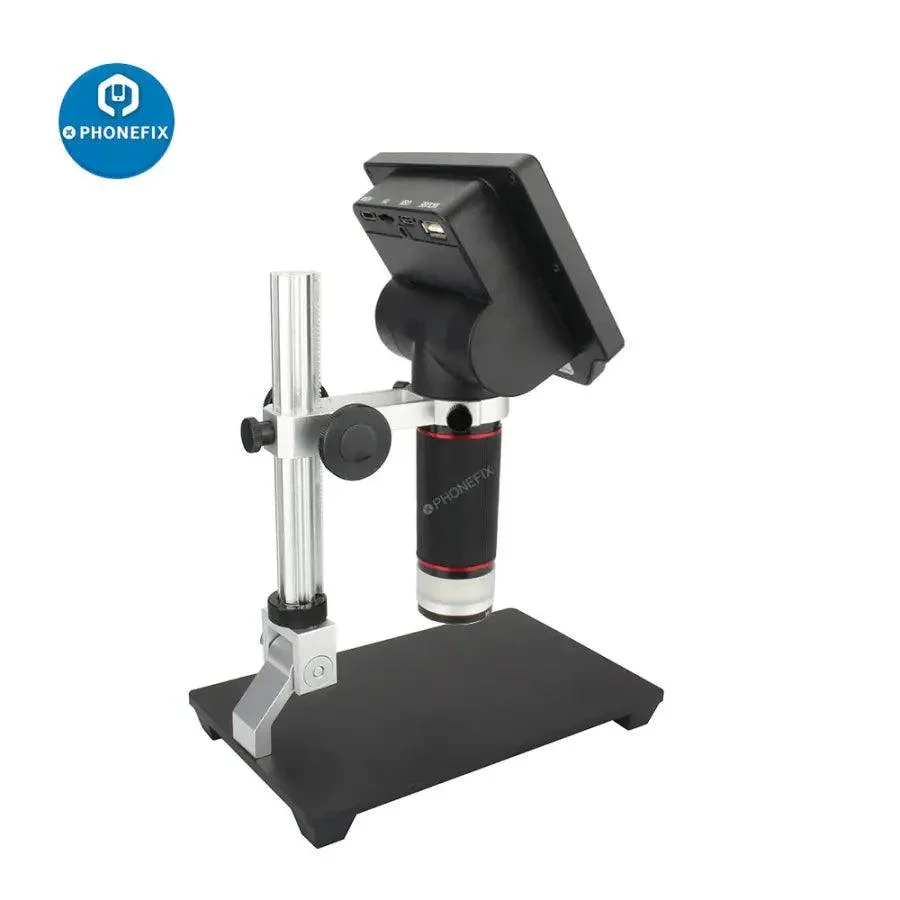
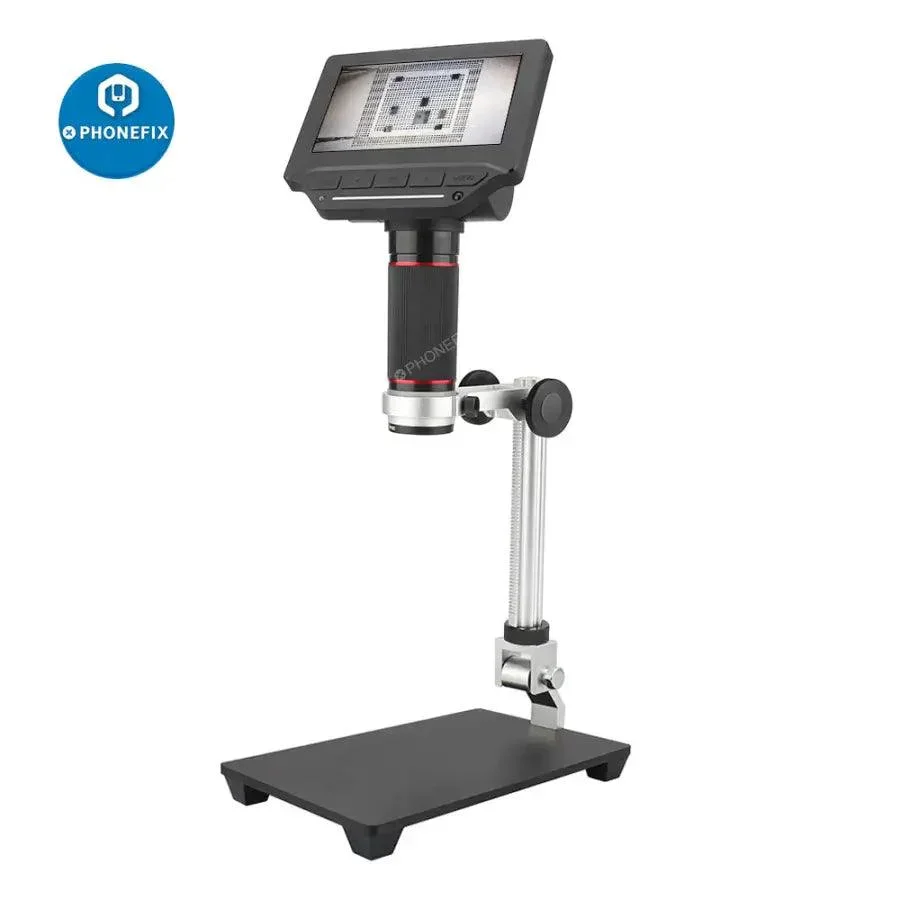
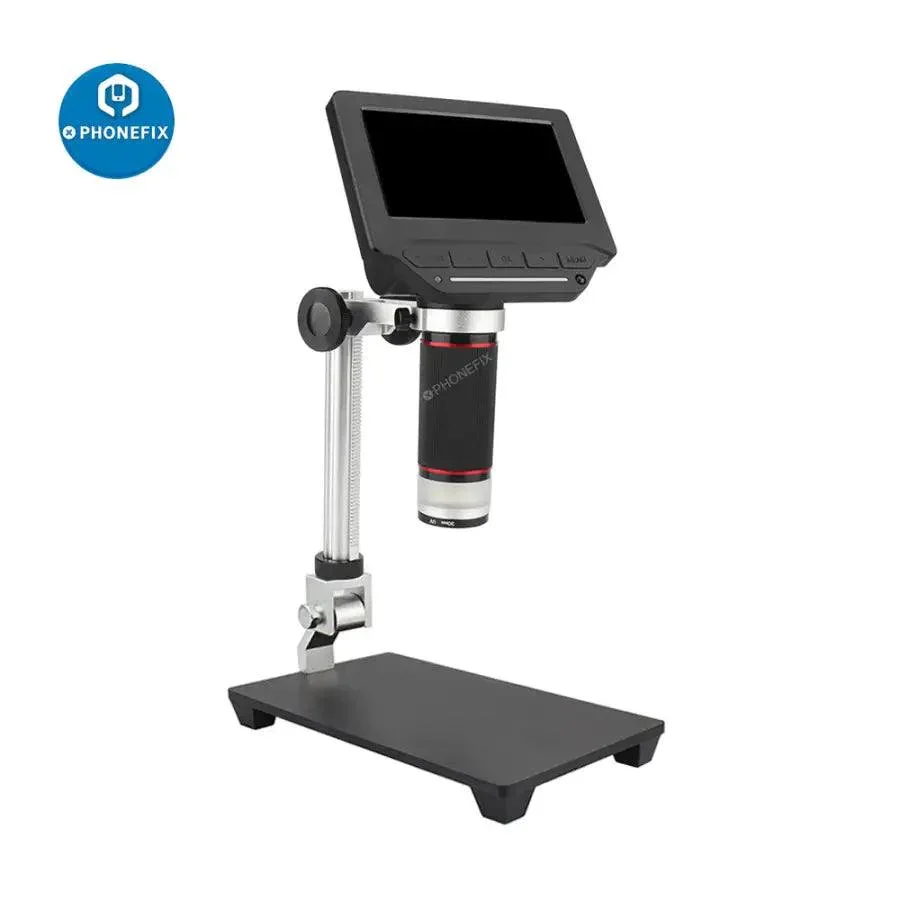
4.3 inch LCD Digital USB Microscope For PCB Soldering Repair
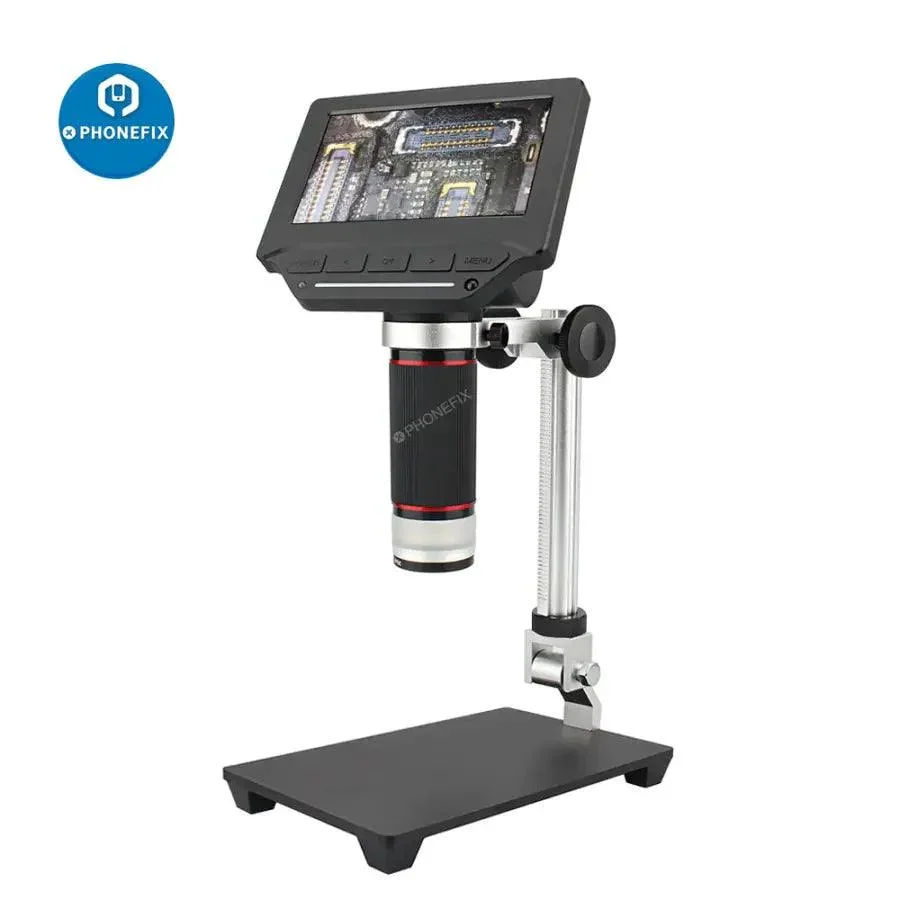
4.3 inch LCD Digital USB Microscope Endoscope Record 1000X Magnification Zoom Storage Camera Video Recorder for Repair Soldering
Note: Cannot be connected with Wifi !
Features:
This product is our brand new video microscope with high performance and cost effective.
1.Install video microscope
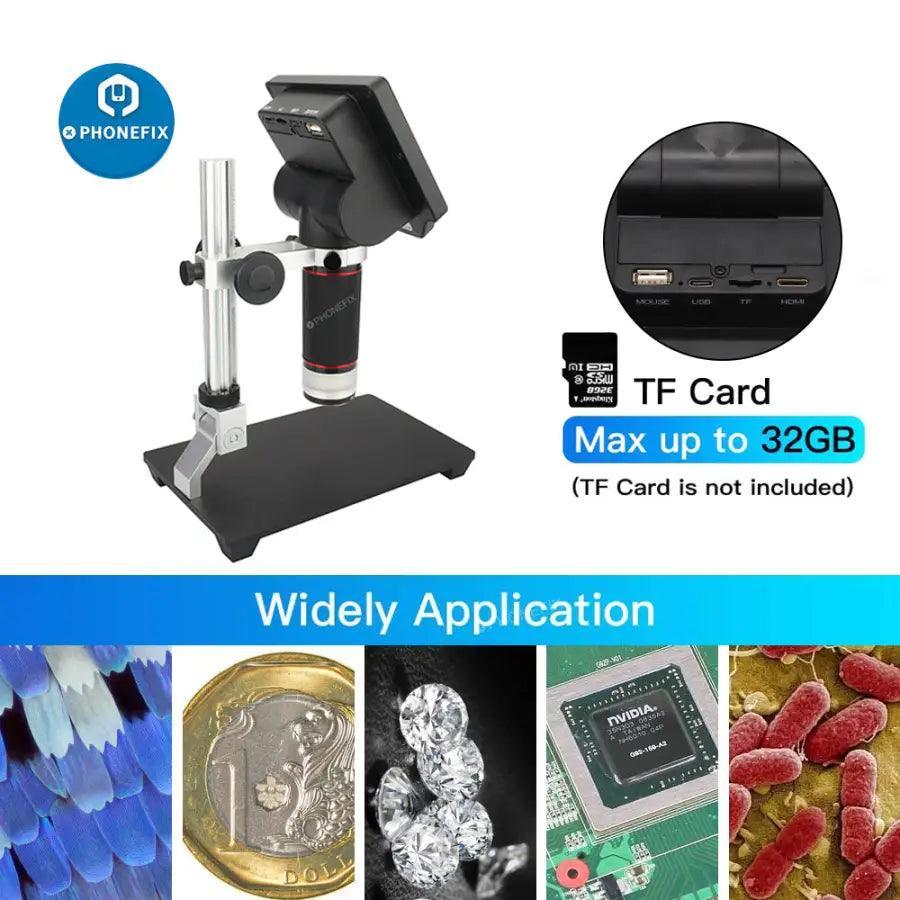
b.TF card gold finger pointing up, insert TF card slot;
c.Plug the battery into the battery compartment or connect to power by USB;
d.Adjust the video microscope screen to a comfortable viewing angle;
Attention: Use a Phillips screwdriver to remove and assemble the battery cover;
Please use 18650 battery with protective plate or original battery;
Please pay attention to the positive and negative electrodes of the battery, don’t assemble them converse;
2.Connect video microscope:
b.Use center point of monitor to aim the object, adjust bracket height and lens focal length to make image clear;
c.Long press power button again to power off video microscope;
Attention: In order to reach the best effect, please clean protective lens and display screen before using.
4.Use video microscope
Zoom in / out function: Press left button to zoom out, press right button to zoom in;
Photo/Video: Press Confirm button can take photo/video;
Menu function: Press Menu button, get into menu for setting of photo、video、playback、system etc parameters setting;
White LED brightness: Short press Power button to display OSD, adjust the white LED brightness by Left button and Right button;
Mode switch:Long press Menu button, can switch photo,video,playback mode;
USB mode: Insert USB cable, can choose U disk model、camera mode,working mode.
For more details, please check Function and Menu Introduction section.
Packaging include:
1 X Video Microscope
1 X LithiumBattery(18650)
1 X Power Adaptor
1 X USB Cable
1 X IR Remoter
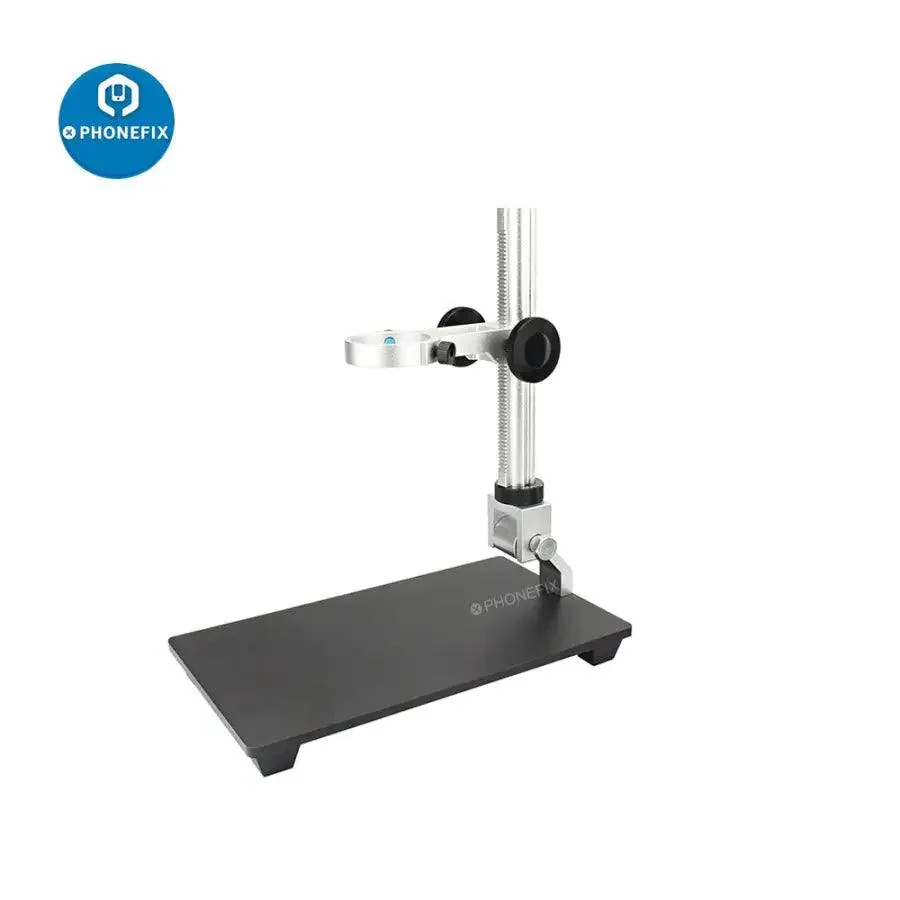
1 X Base Bracket/set
1 X User Manual
1 X Cleaning Cloth
Note: Cannot be connected with Wifi !
Features:
This product is our brand new video microscope with high performance and cost effective.
- Adopt color LCD screen, high definition and high lighting;
- 1080P30 design, no lag, no smear, fluent HD;
- Professional image processing DSP, 3D de-noise, restore colors and details really;
- Built-in HD lens, have microscope and telescope function ( 1cm~5m);
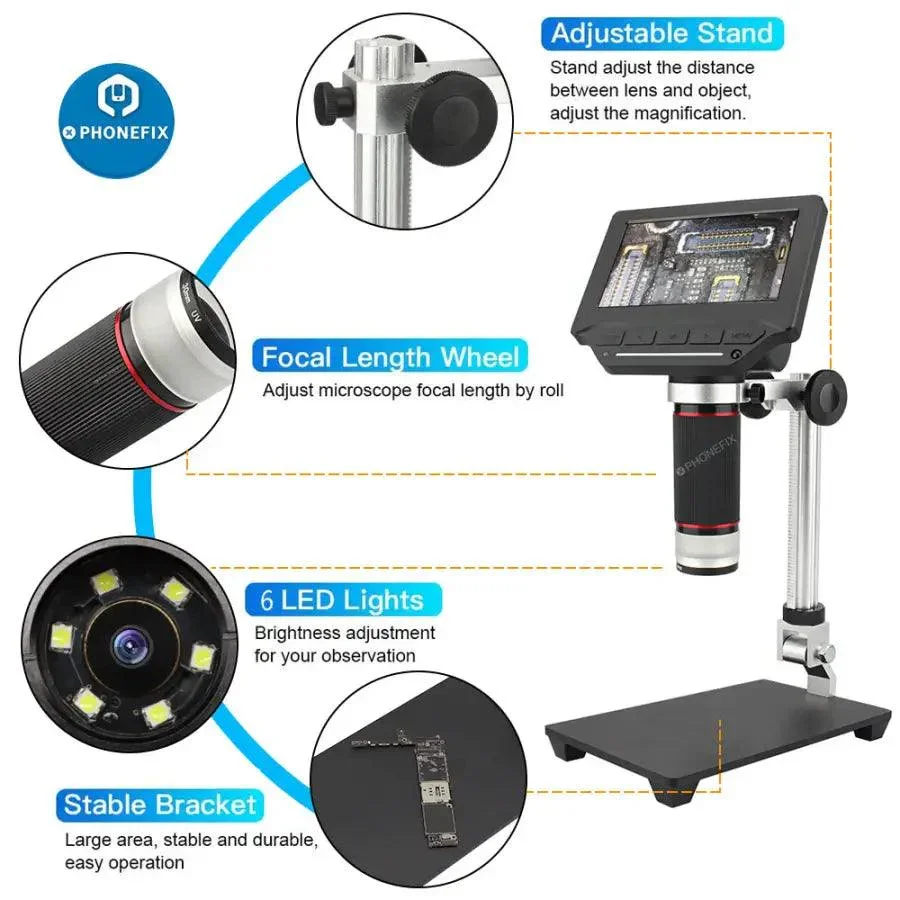
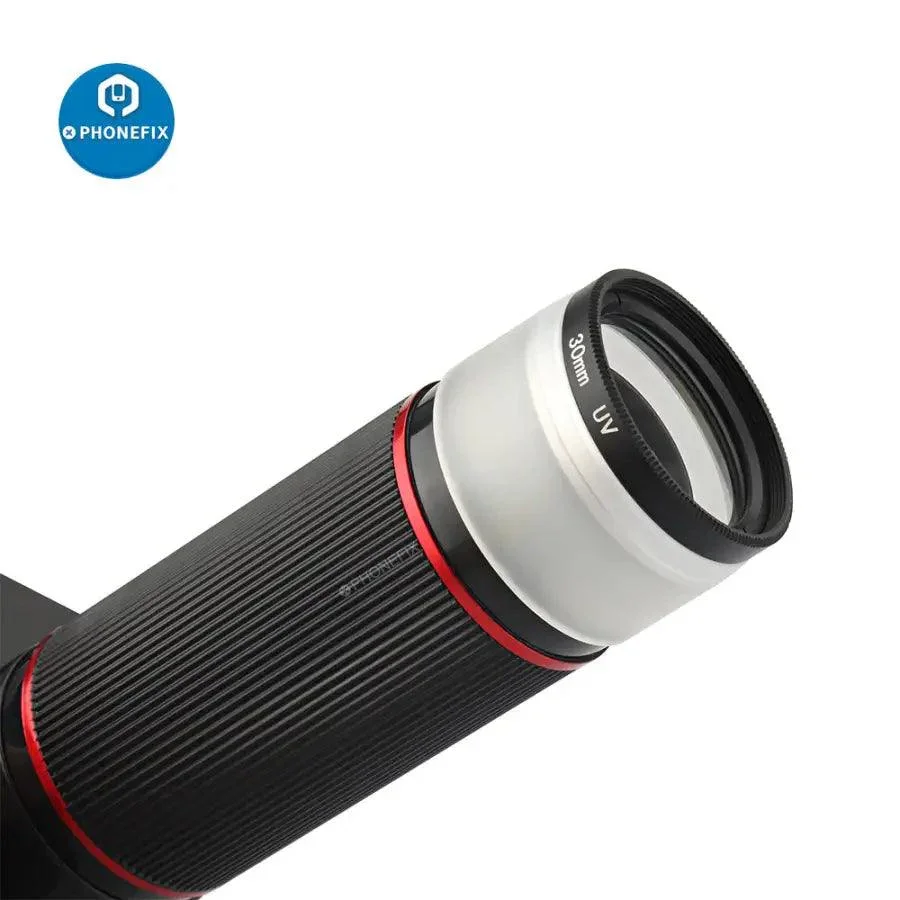
- Rotating lens barrel design, precise focusing and smooth feeling;
- Built-in white LED design, simple operation and intuitive viewing;
- Support picture, video record and playback function;
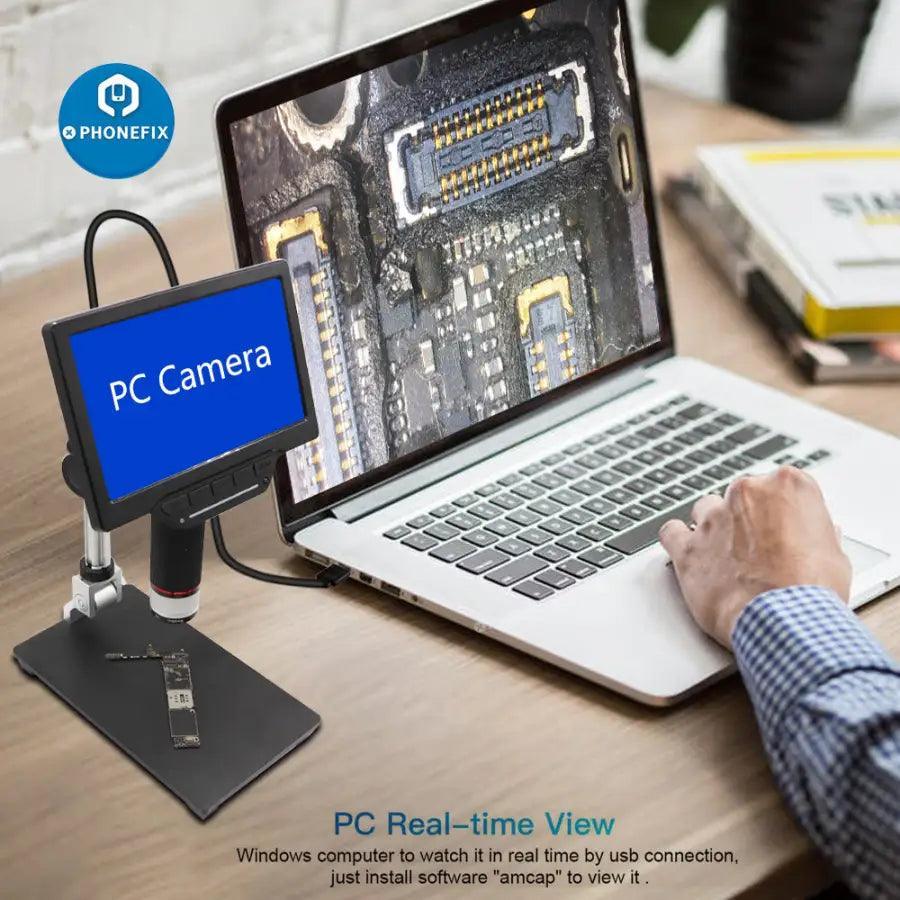
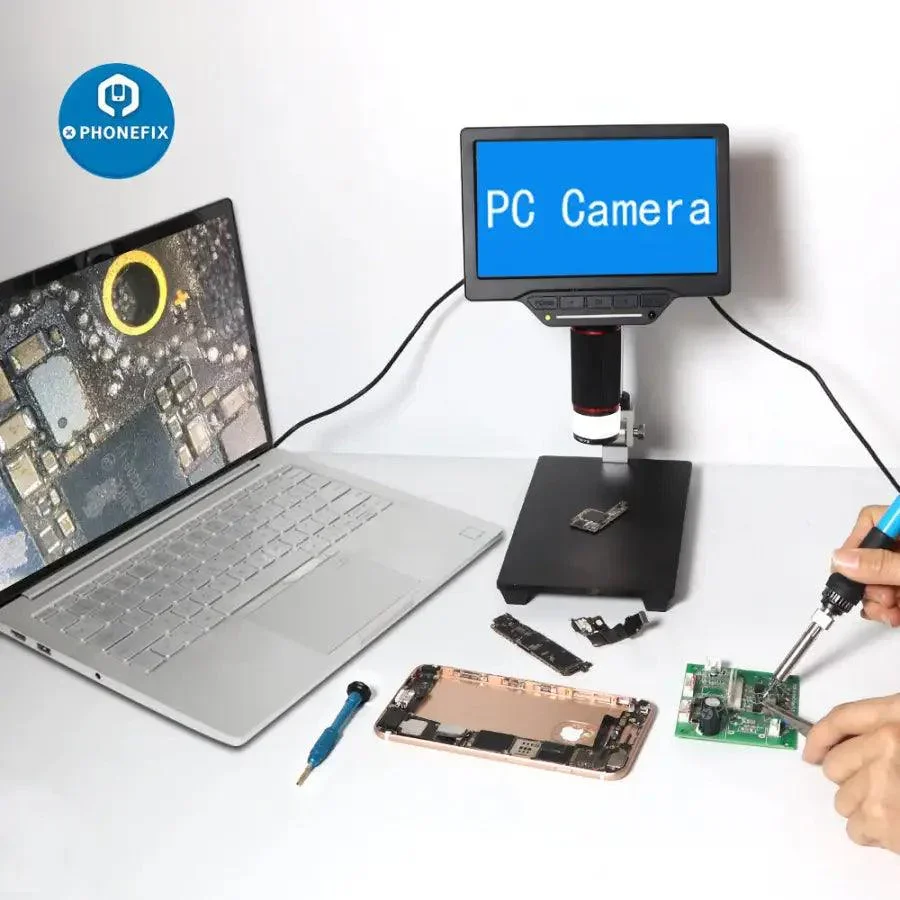
- Support LCD+USB(UVC) output display;
- Support 15X~208X infinite magnification, clear and smooth;
- Support center cursor and grid cursor;
- Support functions such as exposure compensation, sharpness、color、image adjustment etc;
- Support IR remote operation;
- Support 4GB ~64GB TF card;
- Powered by 18650 lithium battery, easy for outdoor use;
- Adopt TYPE-C 5V power supply, both positive and negative inserts are available;
- With brand new algorithm, new design and new configuration, it will bring you new smooth and high-definition experience!
1.Install video microscope
- Assemble the bracket to lock and fix the microscope
- Insert TF card
- Install battery or connect to power.
b.TF card gold finger pointing up, insert TF card slot;
c.Plug the battery into the battery compartment or connect to power by USB;
d.Adjust the video microscope screen to a comfortable viewing angle;
Attention: Use a Phillips screwdriver to remove and assemble the battery cover;
Please use 18650 battery with protective plate or original battery;
Please pay attention to the positive and negative electrodes of the battery, don’t assemble them converse;
2.Connect video microscope:
- Connect USB power
- Connect power adaptor with AC
- a.Plug USB cable into the USB interface of this video microscope;
- b.Put another side of the USB cable into the USB interface of the power adaptor;
- c.Connect power adaptor with AC;
- Long press power button to power on
- Long press power button again to power off
b.Use center point of monitor to aim the object, adjust bracket height and lens focal length to make image clear;
c.Long press power button again to power off video microscope;
Attention: In order to reach the best effect, please clean protective lens and display screen before using.
4.Use video microscope
Zoom in / out function: Press left button to zoom out, press right button to zoom in;
Photo/Video: Press Confirm button can take photo/video;
Menu function: Press Menu button, get into menu for setting of photo、video、playback、system etc parameters setting;
White LED brightness: Short press Power button to display OSD, adjust the white LED brightness by Left button and Right button;
Mode switch:Long press Menu button, can switch photo,video,playback mode;
USB mode: Insert USB cable, can choose U disk model、camera mode,working mode.
For more details, please check Function and Menu Introduction section.
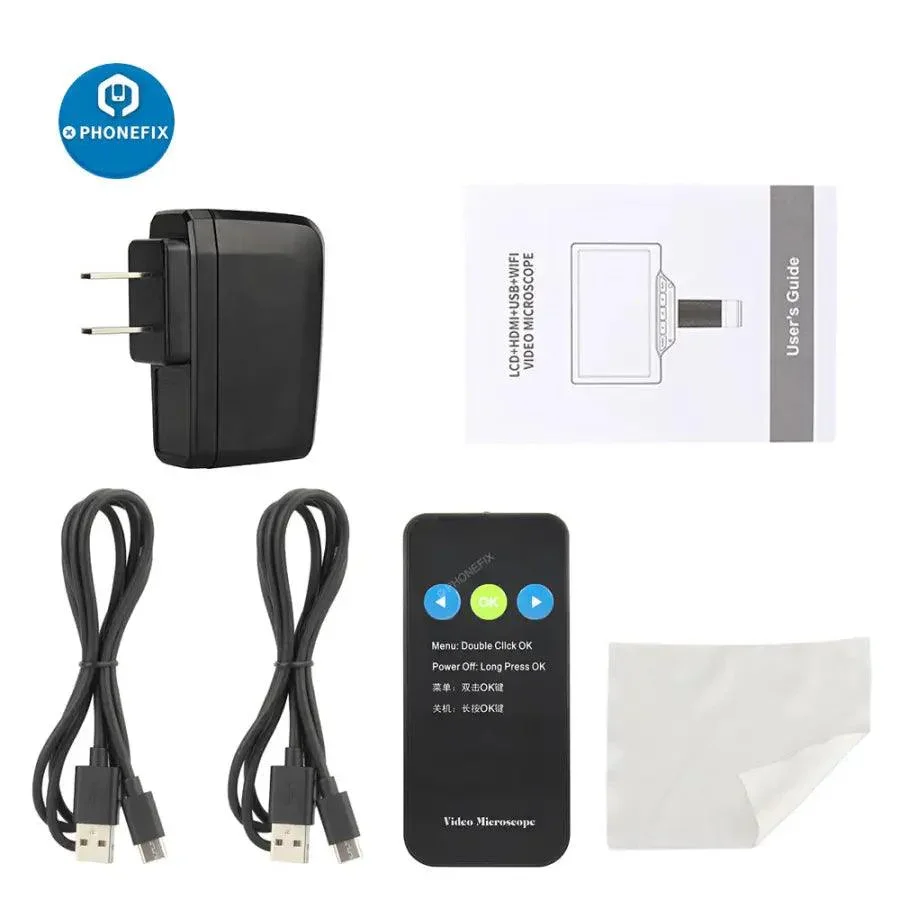
Packaging include:
1 X Video Microscope
1 X LithiumBattery(18650)
1 X Power Adaptor
1 X USB Cable
1 X IR Remoter
1 X Base Bracket/set
1 X User Manual
1 X Cleaning Cloth
$29.94
Original: $85.55
-65%4.3 inch LCD Digital USB Microscope For PCB Soldering Repair—
$85.55
$29.94More Images
4.3 inch LCD Digital USB Microscope For PCB Soldering Repair
4.3 inch LCD Digital USB Microscope Endoscope Record 1000X Magnification Zoom Storage Camera Video Recorder for Repair Soldering
Note: Cannot be connected with Wifi !
Features:
This product is our brand new video microscope with high performance and cost effective.
1.Install video microscope
b.TF card gold finger pointing up, insert TF card slot;
c.Plug the battery into the battery compartment or connect to power by USB;
d.Adjust the video microscope screen to a comfortable viewing angle;
Attention: Use a Phillips screwdriver to remove and assemble the battery cover;
Please use 18650 battery with protective plate or original battery;
Please pay attention to the positive and negative electrodes of the battery, don’t assemble them converse;
2.Connect video microscope:
b.Use center point of monitor to aim the object, adjust bracket height and lens focal length to make image clear;
c.Long press power button again to power off video microscope;
Attention: In order to reach the best effect, please clean protective lens and display screen before using.
4.Use video microscope
Zoom in / out function: Press left button to zoom out, press right button to zoom in;
Photo/Video: Press Confirm button can take photo/video;
Menu function: Press Menu button, get into menu for setting of photo、video、playback、system etc parameters setting;
White LED brightness: Short press Power button to display OSD, adjust the white LED brightness by Left button and Right button;
Mode switch:Long press Menu button, can switch photo,video,playback mode;
USB mode: Insert USB cable, can choose U disk model、camera mode,working mode.
For more details, please check Function and Menu Introduction section.
Packaging include:
1 X Video Microscope
1 X LithiumBattery(18650)
1 X Power Adaptor
1 X USB Cable
1 X IR Remoter
1 X Base Bracket/set
1 X User Manual
1 X Cleaning Cloth
Note: Cannot be connected with Wifi !
Features:
This product is our brand new video microscope with high performance and cost effective.
- Adopt color LCD screen, high definition and high lighting;
- 1080P30 design, no lag, no smear, fluent HD;
- Professional image processing DSP, 3D de-noise, restore colors and details really;
- Built-in HD lens, have microscope and telescope function ( 1cm~5m);
- Rotating lens barrel design, precise focusing and smooth feeling;
- Built-in white LED design, simple operation and intuitive viewing;
- Support picture, video record and playback function;
- Support LCD+USB(UVC) output display;
- Support 15X~208X infinite magnification, clear and smooth;
- Support center cursor and grid cursor;
- Support functions such as exposure compensation, sharpness、color、image adjustment etc;
- Support IR remote operation;
- Support 4GB ~64GB TF card;
- Powered by 18650 lithium battery, easy for outdoor use;
- Adopt TYPE-C 5V power supply, both positive and negative inserts are available;
- With brand new algorithm, new design and new configuration, it will bring you new smooth and high-definition experience!
1.Install video microscope
- Assemble the bracket to lock and fix the microscope
- Insert TF card
- Install battery or connect to power.
b.TF card gold finger pointing up, insert TF card slot;
c.Plug the battery into the battery compartment or connect to power by USB;
d.Adjust the video microscope screen to a comfortable viewing angle;
Attention: Use a Phillips screwdriver to remove and assemble the battery cover;
Please use 18650 battery with protective plate or original battery;
Please pay attention to the positive and negative electrodes of the battery, don’t assemble them converse;
2.Connect video microscope:
- Connect USB power
- Connect power adaptor with AC
- a.Plug USB cable into the USB interface of this video microscope;
- b.Put another side of the USB cable into the USB interface of the power adaptor;
- c.Connect power adaptor with AC;
- Long press power button to power on
- Long press power button again to power off
b.Use center point of monitor to aim the object, adjust bracket height and lens focal length to make image clear;
c.Long press power button again to power off video microscope;
Attention: In order to reach the best effect, please clean protective lens and display screen before using.
4.Use video microscope
Zoom in / out function: Press left button to zoom out, press right button to zoom in;
Photo/Video: Press Confirm button can take photo/video;
Menu function: Press Menu button, get into menu for setting of photo、video、playback、system etc parameters setting;
White LED brightness: Short press Power button to display OSD, adjust the white LED brightness by Left button and Right button;
Mode switch:Long press Menu button, can switch photo,video,playback mode;
USB mode: Insert USB cable, can choose U disk model、camera mode,working mode.
For more details, please check Function and Menu Introduction section.
Packaging include:
1 X Video Microscope
1 X LithiumBattery(18650)
1 X Power Adaptor
1 X USB Cable
1 X IR Remoter
1 X Base Bracket/set
1 X User Manual
1 X Cleaning Cloth
Product Information
Product Information
Shipping & Returns
Shipping & Returns
Description
4.3 inch LCD Digital USB Microscope Endoscope Record 1000X Magnification Zoom Storage Camera Video Recorder for Repair Soldering
Note: Cannot be connected with Wifi !
Features:
This product is our brand new video microscope with high performance and cost effective.
1.Install video microscope
b.TF card gold finger pointing up, insert TF card slot;
c.Plug the battery into the battery compartment or connect to power by USB;
d.Adjust the video microscope screen to a comfortable viewing angle;
Attention: Use a Phillips screwdriver to remove and assemble the battery cover;
Please use 18650 battery with protective plate or original battery;
Please pay attention to the positive and negative electrodes of the battery, don’t assemble them converse;
2.Connect video microscope:
b.Use center point of monitor to aim the object, adjust bracket height and lens focal length to make image clear;
c.Long press power button again to power off video microscope;
Attention: In order to reach the best effect, please clean protective lens and display screen before using.
4.Use video microscope
Zoom in / out function: Press left button to zoom out, press right button to zoom in;
Photo/Video: Press Confirm button can take photo/video;
Menu function: Press Menu button, get into menu for setting of photo、video、playback、system etc parameters setting;
White LED brightness: Short press Power button to display OSD, adjust the white LED brightness by Left button and Right button;
Mode switch:Long press Menu button, can switch photo,video,playback mode;
USB mode: Insert USB cable, can choose U disk model、camera mode,working mode.
For more details, please check Function and Menu Introduction section.
Packaging include:
1 X Video Microscope
1 X LithiumBattery(18650)
1 X Power Adaptor
1 X USB Cable
1 X IR Remoter
1 X Base Bracket/set
1 X User Manual
1 X Cleaning Cloth
Note: Cannot be connected with Wifi !
Features:
This product is our brand new video microscope with high performance and cost effective.
- Adopt color LCD screen, high definition and high lighting;
- 1080P30 design, no lag, no smear, fluent HD;
- Professional image processing DSP, 3D de-noise, restore colors and details really;
- Built-in HD lens, have microscope and telescope function ( 1cm~5m);
- Rotating lens barrel design, precise focusing and smooth feeling;
- Built-in white LED design, simple operation and intuitive viewing;
- Support picture, video record and playback function;
- Support LCD+USB(UVC) output display;
- Support 15X~208X infinite magnification, clear and smooth;
- Support center cursor and grid cursor;
- Support functions such as exposure compensation, sharpness、color、image adjustment etc;
- Support IR remote operation;
- Support 4GB ~64GB TF card;
- Powered by 18650 lithium battery, easy for outdoor use;
- Adopt TYPE-C 5V power supply, both positive and negative inserts are available;
- With brand new algorithm, new design and new configuration, it will bring you new smooth and high-definition experience!
1.Install video microscope
- Assemble the bracket to lock and fix the microscope
- Insert TF card
- Install battery or connect to power.
b.TF card gold finger pointing up, insert TF card slot;
c.Plug the battery into the battery compartment or connect to power by USB;
d.Adjust the video microscope screen to a comfortable viewing angle;
Attention: Use a Phillips screwdriver to remove and assemble the battery cover;
Please use 18650 battery with protective plate or original battery;
Please pay attention to the positive and negative electrodes of the battery, don’t assemble them converse;
2.Connect video microscope:
- Connect USB power
- Connect power adaptor with AC
- a.Plug USB cable into the USB interface of this video microscope;
- b.Put another side of the USB cable into the USB interface of the power adaptor;
- c.Connect power adaptor with AC;
- Long press power button to power on
- Long press power button again to power off
b.Use center point of monitor to aim the object, adjust bracket height and lens focal length to make image clear;
c.Long press power button again to power off video microscope;
Attention: In order to reach the best effect, please clean protective lens and display screen before using.
4.Use video microscope
Zoom in / out function: Press left button to zoom out, press right button to zoom in;
Photo/Video: Press Confirm button can take photo/video;
Menu function: Press Menu button, get into menu for setting of photo、video、playback、system etc parameters setting;
White LED brightness: Short press Power button to display OSD, adjust the white LED brightness by Left button and Right button;
Mode switch:Long press Menu button, can switch photo,video,playback mode;
USB mode: Insert USB cable, can choose U disk model、camera mode,working mode.
For more details, please check Function and Menu Introduction section.
Packaging include:
1 X Video Microscope
1 X LithiumBattery(18650)
1 X Power Adaptor
1 X USB Cable
1 X IR Remoter
1 X Base Bracket/set
1 X User Manual
1 X Cleaning Cloth