🎉 Up to 70% Off Selected ItemsShop Sale

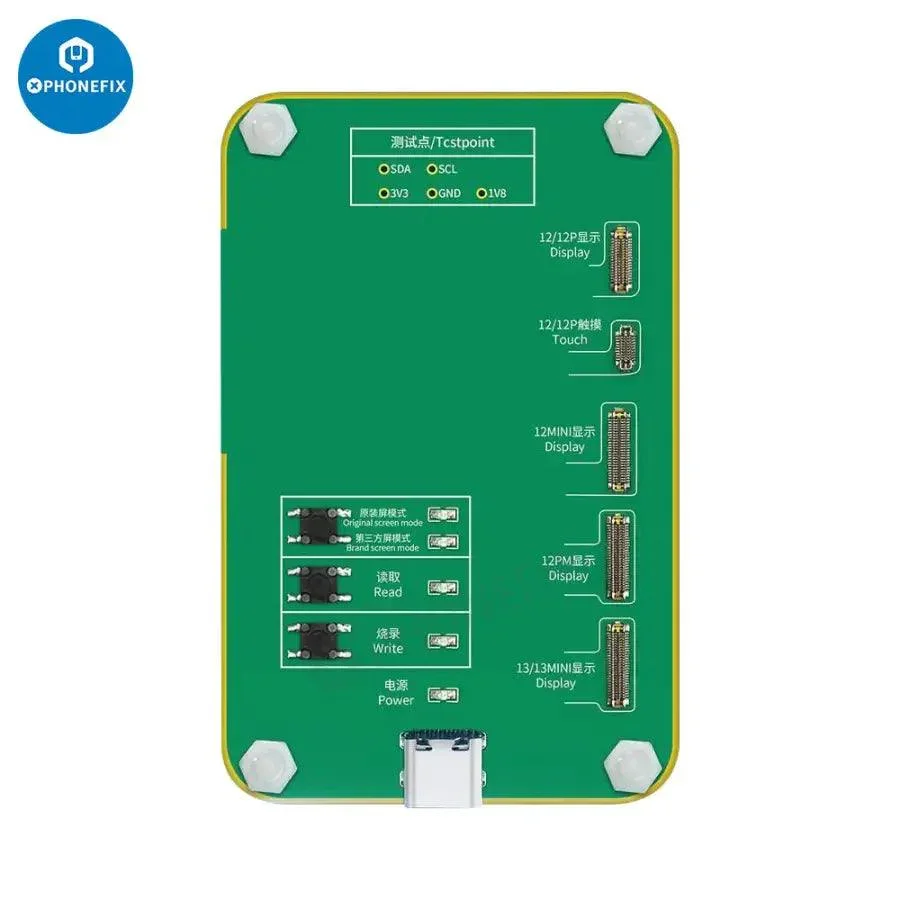
Light Sensor Vibration Touch Module for JC PRO1000S Programmer
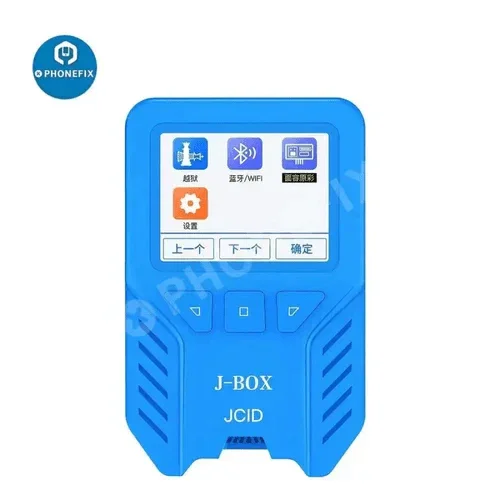
Newest JCID iPhone 12/13 series true tone module for iPhone 12/12 Pro/12 Pro Max/12 mini/13/13 mini original/non-original screen original color recovery. JC true tone module for iPhone 12-13 mini screen data read write repair, and it works with JCID V1S PRO Programmer.
Data line offline operation:
Module can be used independently -, lighting data line power can be offline to read, write, burn operation 2, lighting data line connection sincere maintenance assistant can read, write, save, modify and other operations.
Photosensitive / original color repair operation:
Exclusive support touch code LCD code, cover plate code modification without copying original screen data.
Product Features :
Supports three code modification, read and write data computer save
Support PRO1000S offline APP operation ( connect to JC PRO1000S ) :
Support 3 codes edit / read & write / data backup to PC, databackup to SD card
Support computer online operation ( connect to JC repair assistant ) :
Convenient for data edit 1 save 1 batch operation, to facilitate data modification and save batch operation ( PRO1000 interface )
Data line offline operation:
Module can be used independently -, lighting data line power can be offline to read, write, burn operation 2, lighting data line connection sincere maintenance assistant can read, write, save, modify and other operations.
Photosensitive / original color repair operation:
- Step 1: Place the original screen, click the read key, read the reading indicator light long.
- Step 2: Replace the new screen, click the recording button, burn the recording indicator light long after burning.
- Step 1: Place vibration accessories, click the read button, read the reading indicator light long.
- Step 2: Replace vibration parts, click on the recording button, burn the recording indicator light long after the recording is finished.
Exclusive support touch code LCD code, cover plate code modification without copying original screen data.
Product Features :
- Support truetone / brightness / touch display repair
- Support vibration data read / write
- Support data save to SD card
Supports three code modification, read and write data computer save
Support PRO1000S offline APP operation ( connect to JC PRO1000S ) :
Support 3 codes edit / read & write / data backup to PC, databackup to SD card
Support computer online operation ( connect to JC repair assistant ) :
Convenient for data edit 1 save 1 batch operation, to facilitate data modification and save batch operation ( PRO1000 interface )
Select Option
From $8.59
Original: $24.55
-65%Light Sensor Vibration Touch Module for JC PRO1000S Programmer—
$24.55
$8.59More Images
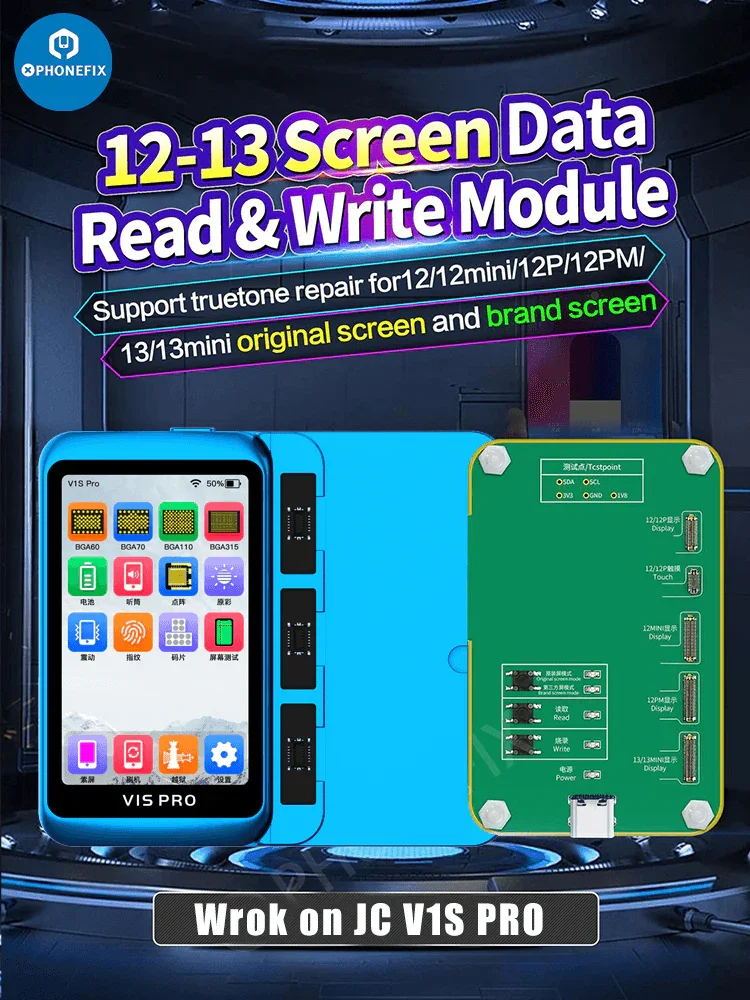

Light Sensor Vibration Touch Module for JC PRO1000S Programmer
Newest JCID iPhone 12/13 series true tone module for iPhone 12/12 Pro/12 Pro Max/12 mini/13/13 mini original/non-original screen original color recovery. JC true tone module for iPhone 12-13 mini screen data read write repair, and it works with JCID V1S PRO Programmer.
Data line offline operation:
Module can be used independently -, lighting data line power can be offline to read, write, burn operation 2, lighting data line connection sincere maintenance assistant can read, write, save, modify and other operations.
Photosensitive / original color repair operation:
Exclusive support touch code LCD code, cover plate code modification without copying original screen data.
Product Features :
Supports three code modification, read and write data computer save
Support PRO1000S offline APP operation ( connect to JC PRO1000S ) :
Support 3 codes edit / read & write / data backup to PC, databackup to SD card
Support computer online operation ( connect to JC repair assistant ) :
Convenient for data edit 1 save 1 batch operation, to facilitate data modification and save batch operation ( PRO1000 interface )
Data line offline operation:
Module can be used independently -, lighting data line power can be offline to read, write, burn operation 2, lighting data line connection sincere maintenance assistant can read, write, save, modify and other operations.
Photosensitive / original color repair operation:
- Step 1: Place the original screen, click the read key, read the reading indicator light long.
- Step 2: Replace the new screen, click the recording button, burn the recording indicator light long after burning.
- Step 1: Place vibration accessories, click the read button, read the reading indicator light long.
- Step 2: Replace vibration parts, click on the recording button, burn the recording indicator light long after the recording is finished.
Exclusive support touch code LCD code, cover plate code modification without copying original screen data.
Product Features :
- Support truetone / brightness / touch display repair
- Support vibration data read / write
- Support data save to SD card
Supports three code modification, read and write data computer save
Support PRO1000S offline APP operation ( connect to JC PRO1000S ) :
Support 3 codes edit / read & write / data backup to PC, databackup to SD card
Support computer online operation ( connect to JC repair assistant ) :
Convenient for data edit 1 save 1 batch operation, to facilitate data modification and save batch operation ( PRO1000 interface )
Product Information
Product Information
Shipping & Returns
Shipping & Returns
Description
Newest JCID iPhone 12/13 series true tone module for iPhone 12/12 Pro/12 Pro Max/12 mini/13/13 mini original/non-original screen original color recovery. JC true tone module for iPhone 12-13 mini screen data read write repair, and it works with JCID V1S PRO Programmer.
Data line offline operation:
Module can be used independently -, lighting data line power can be offline to read, write, burn operation 2, lighting data line connection sincere maintenance assistant can read, write, save, modify and other operations.
Photosensitive / original color repair operation:
Exclusive support touch code LCD code, cover plate code modification without copying original screen data.
Product Features :
Supports three code modification, read and write data computer save
Support PRO1000S offline APP operation ( connect to JC PRO1000S ) :
Support 3 codes edit / read & write / data backup to PC, databackup to SD card
Support computer online operation ( connect to JC repair assistant ) :
Convenient for data edit 1 save 1 batch operation, to facilitate data modification and save batch operation ( PRO1000 interface )
Data line offline operation:
Module can be used independently -, lighting data line power can be offline to read, write, burn operation 2, lighting data line connection sincere maintenance assistant can read, write, save, modify and other operations.
Photosensitive / original color repair operation:
- Step 1: Place the original screen, click the read key, read the reading indicator light long.
- Step 2: Replace the new screen, click the recording button, burn the recording indicator light long after burning.
- Step 1: Place vibration accessories, click the read button, read the reading indicator light long.
- Step 2: Replace vibration parts, click on the recording button, burn the recording indicator light long after the recording is finished.
Exclusive support touch code LCD code, cover plate code modification without copying original screen data.
Product Features :
- Support truetone / brightness / touch display repair
- Support vibration data read / write
- Support data save to SD card
Supports three code modification, read and write data computer save
Support PRO1000S offline APP operation ( connect to JC PRO1000S ) :
Support 3 codes edit / read & write / data backup to PC, databackup to SD card
Support computer online operation ( connect to JC repair assistant ) :
Convenient for data edit 1 save 1 batch operation, to facilitate data modification and save batch operation ( PRO1000 interface )