🎉 Up to 70% Off Selected ItemsShop Sale

SAM Download Mode Tool Flash Restore Charging Cable for Samsung
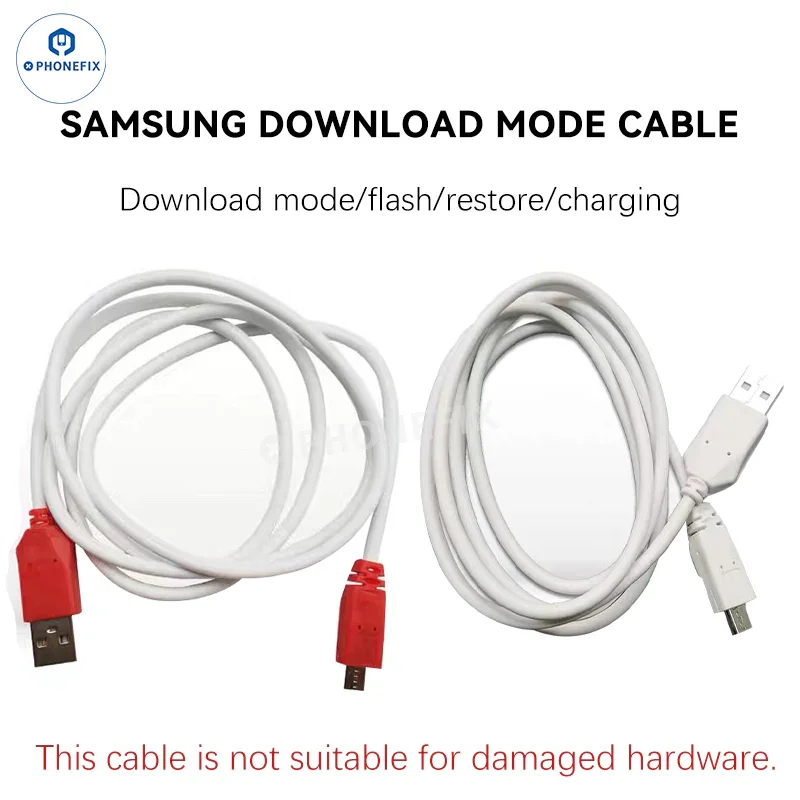
Download Mode Tool USB Cable puts the Samsung Android phones into Download mode for flashing or restoring operations. Force Samsung into "download mode" when it's plugged into a USB port. This download mode tool USB engineering cable is used to flash restore and charge the Samsung phones.
Features:
1. SAM Download Mode cable built-in specific resistor that is used to put the Samsung phone into "download mode" for flashing or recovery operations.
2. Used for flashing and system recovery. In this mode, the phone can communicate with the flashing tool on the computer (such as Odin) to perform operations such as firmware update and system recovery.
3. Flashing: When flashing official firmware or a third-party ROM to a Samsung phone, you need to enter "Mining Mode."
4. Recovery: If the phone fails to flash or encounters system issues, you can also use "Mining Mode" to restore the phone.
5. Charging: Can charge Samsung phones.
Please note: This cable is not suitable for Samsung phones with damaged hardware.
$0.49
Original: $1.39
-65%SAM Download Mode Tool Flash Restore Charging Cable for Samsung—
$1.39
$0.49More Images
SAM Download Mode Tool Flash Restore Charging Cable for Samsung
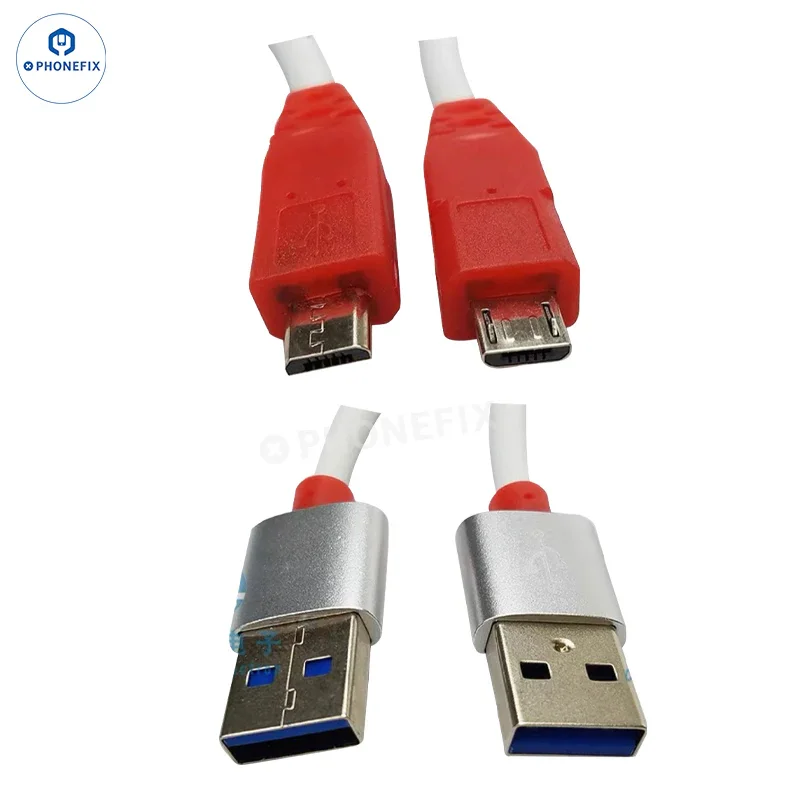
Download Mode Tool USB Cable puts the Samsung Android phones into Download mode for flashing or restoring operations. Force Samsung into "download mode" when it's plugged into a USB port. This download mode tool USB engineering cable is used to flash restore and charge the Samsung phones.
Features:
1. SAM Download Mode cable built-in specific resistor that is used to put the Samsung phone into "download mode" for flashing or recovery operations.
2. Used for flashing and system recovery. In this mode, the phone can communicate with the flashing tool on the computer (such as Odin) to perform operations such as firmware update and system recovery.
3. Flashing: When flashing official firmware or a third-party ROM to a Samsung phone, you need to enter "Mining Mode."
4. Recovery: If the phone fails to flash or encounters system issues, you can also use "Mining Mode" to restore the phone.
5. Charging: Can charge Samsung phones.
Please note: This cable is not suitable for Samsung phones with damaged hardware.
Product Information
Product Information
Shipping & Returns
Shipping & Returns
Description
Download Mode Tool USB Cable puts the Samsung Android phones into Download mode for flashing or restoring operations. Force Samsung into "download mode" when it's plugged into a USB port. This download mode tool USB engineering cable is used to flash restore and charge the Samsung phones.
Features:
1. SAM Download Mode cable built-in specific resistor that is used to put the Samsung phone into "download mode" for flashing or recovery operations.
2. Used for flashing and system recovery. In this mode, the phone can communicate with the flashing tool on the computer (such as Odin) to perform operations such as firmware update and system recovery.
3. Flashing: When flashing official firmware or a third-party ROM to a Samsung phone, you need to enter "Mining Mode."
4. Recovery: If the phone fails to flash or encounters system issues, you can also use "Mining Mode" to restore the phone.
5. Charging: Can charge Samsung phones.
Please note: This cable is not suitable for Samsung phones with damaged hardware.